XML Viewer & Editor Tool – Format, Minify & Validate XML Online
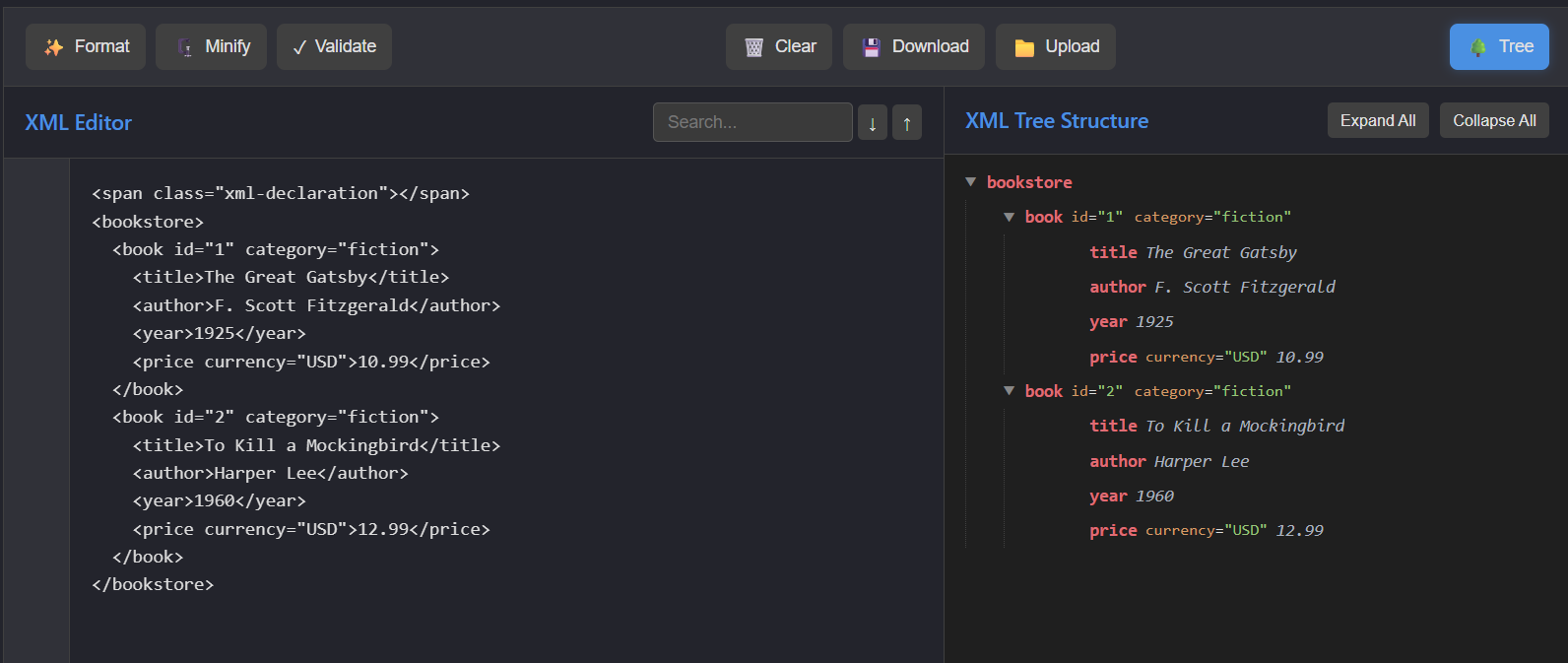
In modern web development, working with structured data is a daily task. One of the most widely used formats for data exchange is XML (Extensible Markup Language). However, raw XML data is often difficult to read, debug, and manage without the right tools. That’s where an advanced XML Viewer and Editor becomes essential.
Our XML tool is designed to simplify your workflow by providing powerful features like formatting, minifying, and validation—all in one place.
What is an XML Viewer & Editor?
An XML Viewer & Editor is an online utility that helps developers and users read, edit, and analyze XML data efficiently. Instead of manually scanning unstructured code, this tool converts XML into a clean, readable format and even displays it in a structured tree view.
Whether you are debugging APIs, handling configuration files, or working with large datasets, this tool makes XML easy to understand.
Key Features of the XML Tool
1. Format XML
The Format feature organizes your XML data with proper indentation and spacing. This improves readability and helps developers quickly identify tags, attributes, and hierarchy.
- Converts messy XML into structured format
- Adds proper spacing and alignment
- Makes debugging faster and easier
2. Minify XML
The Minify option compresses XML by removing unnecessary spaces, line breaks, and comments.
- Reduces file size
- Improves performance in data transfer
- Ideal for production environments
3. Validate XML
The Validate feature checks whether your XML is correctly structured and error-free.
- Detects syntax errors instantly
- Ensures proper tag nesting
- Helps avoid runtime issues
4. XML Tree View
Understanding deeply nested XML can be challenging. The tree view visually represents your XML structure in a hierarchical format.
- Expand/Collapse nodes
- Easy navigation of large files
- Better visualization of parent-child relationships
💡 Why Use This XML Tool?
- No installation required
- Works directly in your browser
- Clean and user-friendly interface
- Supports large XML files
📌 Use Cases
- Debugging API responses
- Editing configuration files
- Learning XML structure
- Data transformation and testing
Conclusion
Handling XML doesn’t have to be complicated. With the help of this powerful XML Viewer & Editor, you can easily format, minify, and validate your data in seconds. It saves time, reduces errors, and improves productivity—making it an essential tool for every developer.